How to Download the Electoral Rolls
Follow this visual, step-by-step guide to download the legacy 2002 voter list and the current (2024-2026) electoral rolls from the official Election Commission portal.
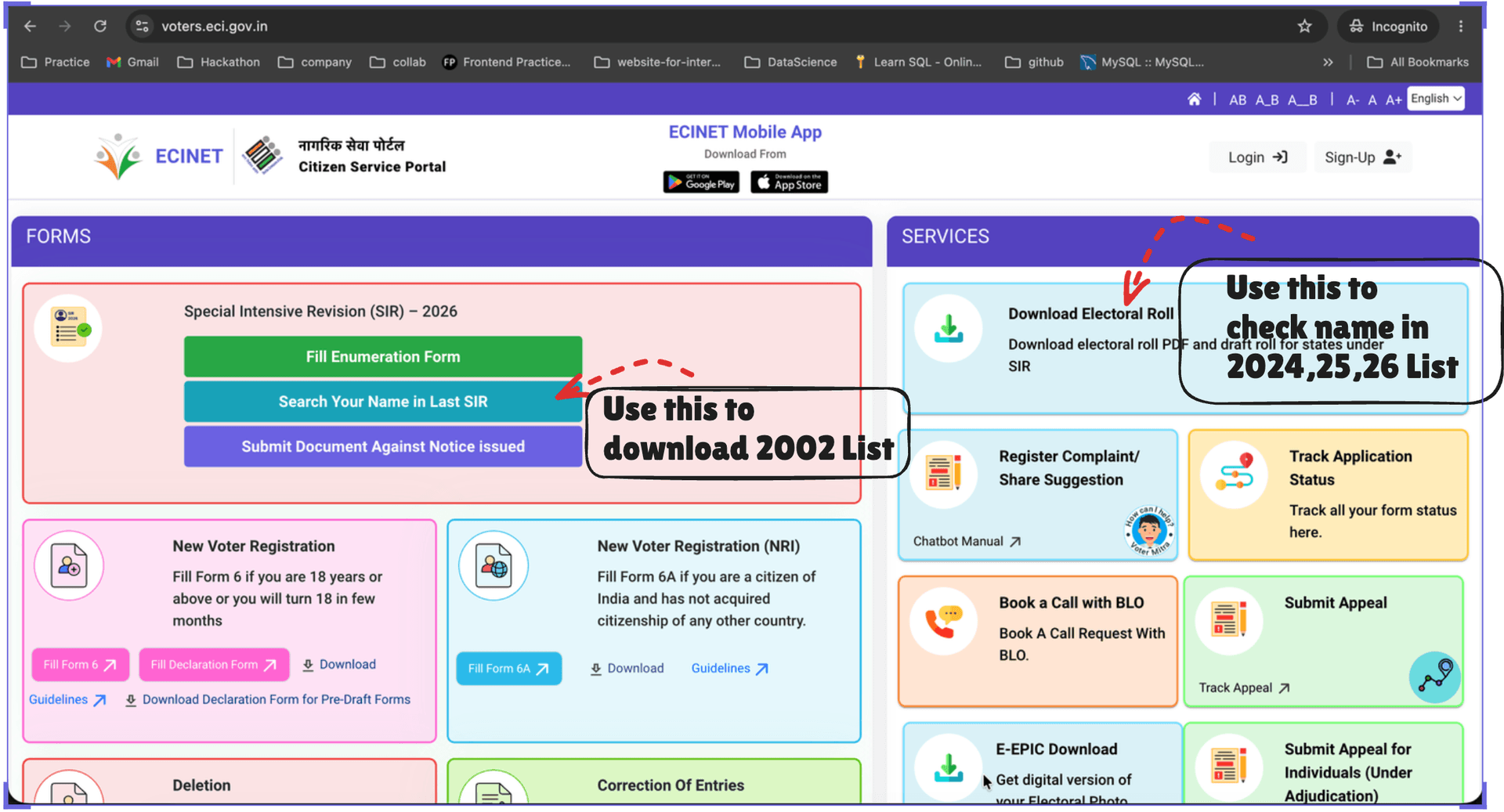
1. Navigating the Home Portal
When you visit the official website, you must choose the correct path based on which list you need to download.
To find the 2002 List:
Under the 'Special Intensive Revision (SIR) – 2026' section, click on the Search Your Name in Last SIR> button.
To find the 2024, 2025, or 2026 Lists:
Under the 'SERVICES' section on the right, click on the Download Electoral Roll> button.
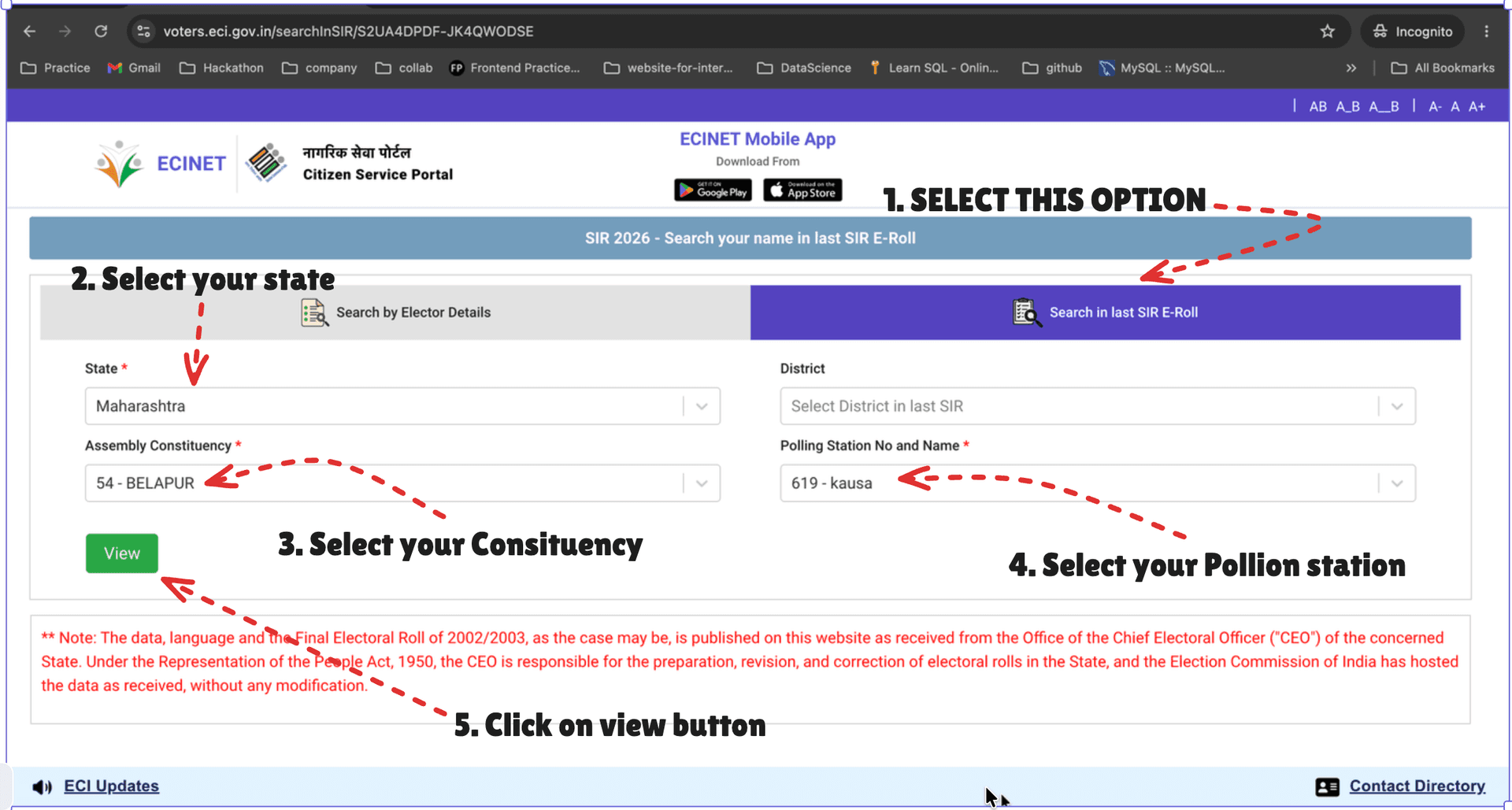
2. How to Download the 2002 List
Direct Link to 2002 SearchSteps to Search:
- Step 1: Select the 'Search in last SIR E-Roll' tab.
- Step 2: Select your State from the dropdown.
- Step 3: Select your Assembly Constituency.
- Step 4: Select your Polling Station Number and Name.
- Step 5: Click on the green 'View' button.
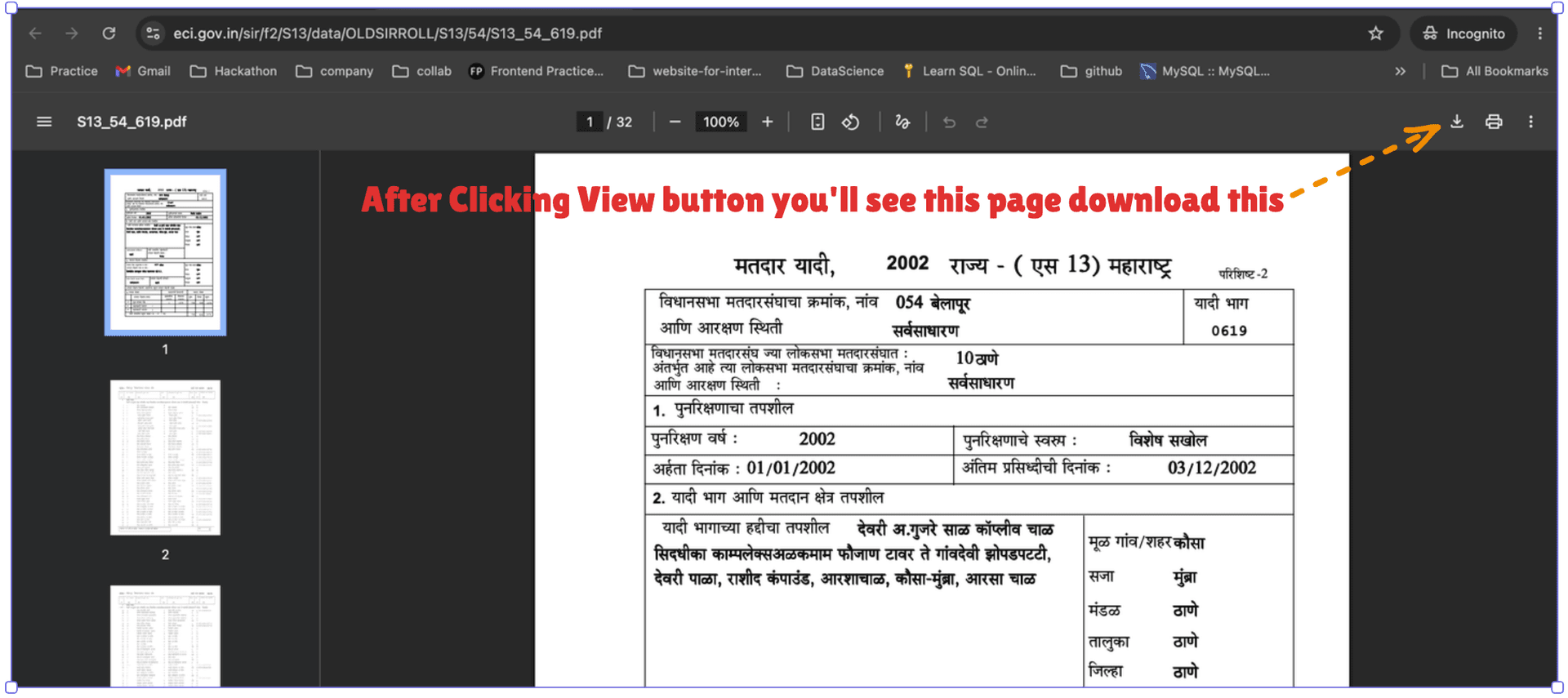
Downloading the File:
After clicking the View button, you will see a PDF page; click the download icon in the top right to save it to your device.
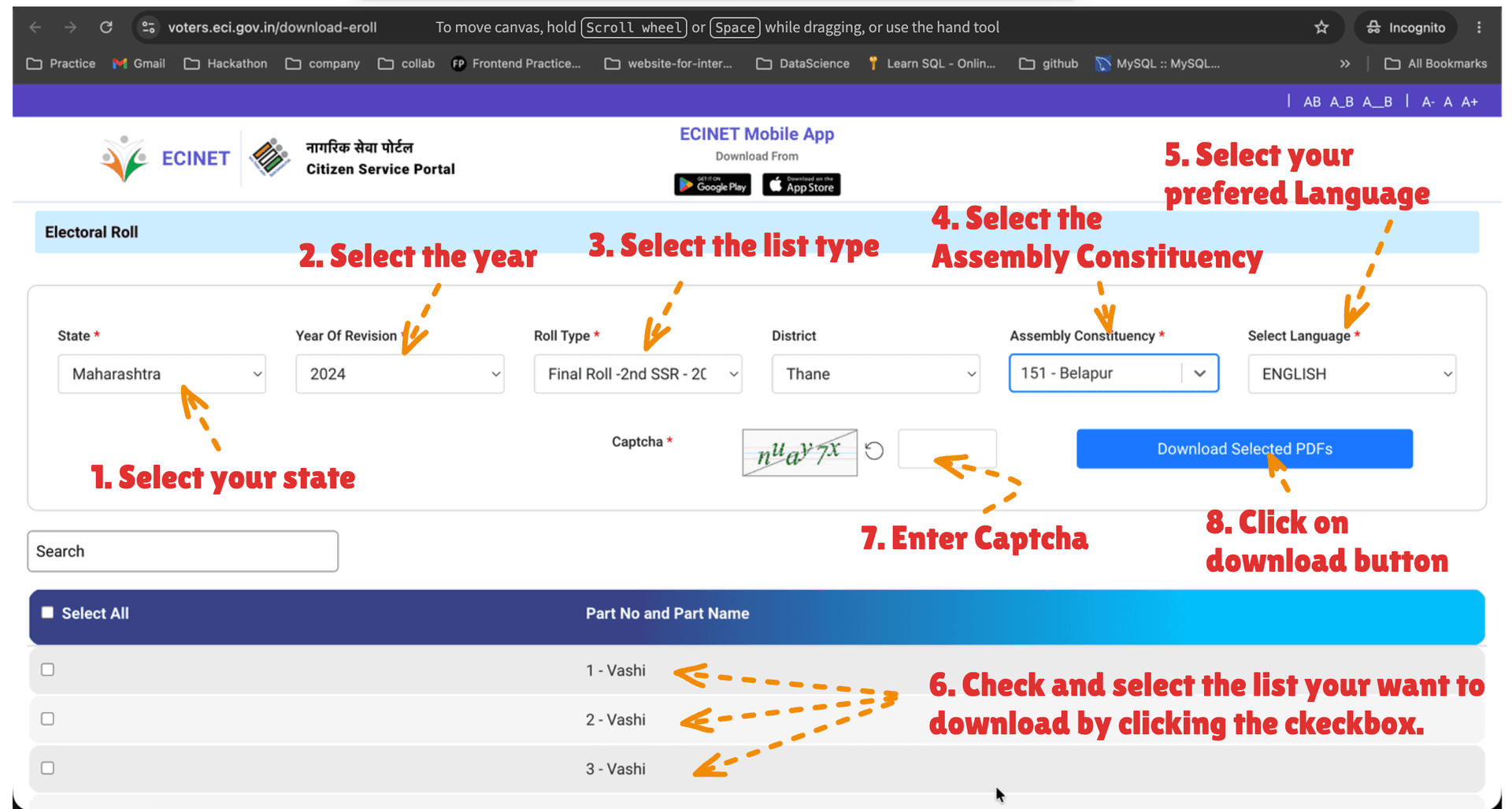
3. How to Download Current Lists
Direct Link to Current E-RollsAfter clicking 'Download Electoral Roll' on the home portal, you will see the Electoral Roll page.
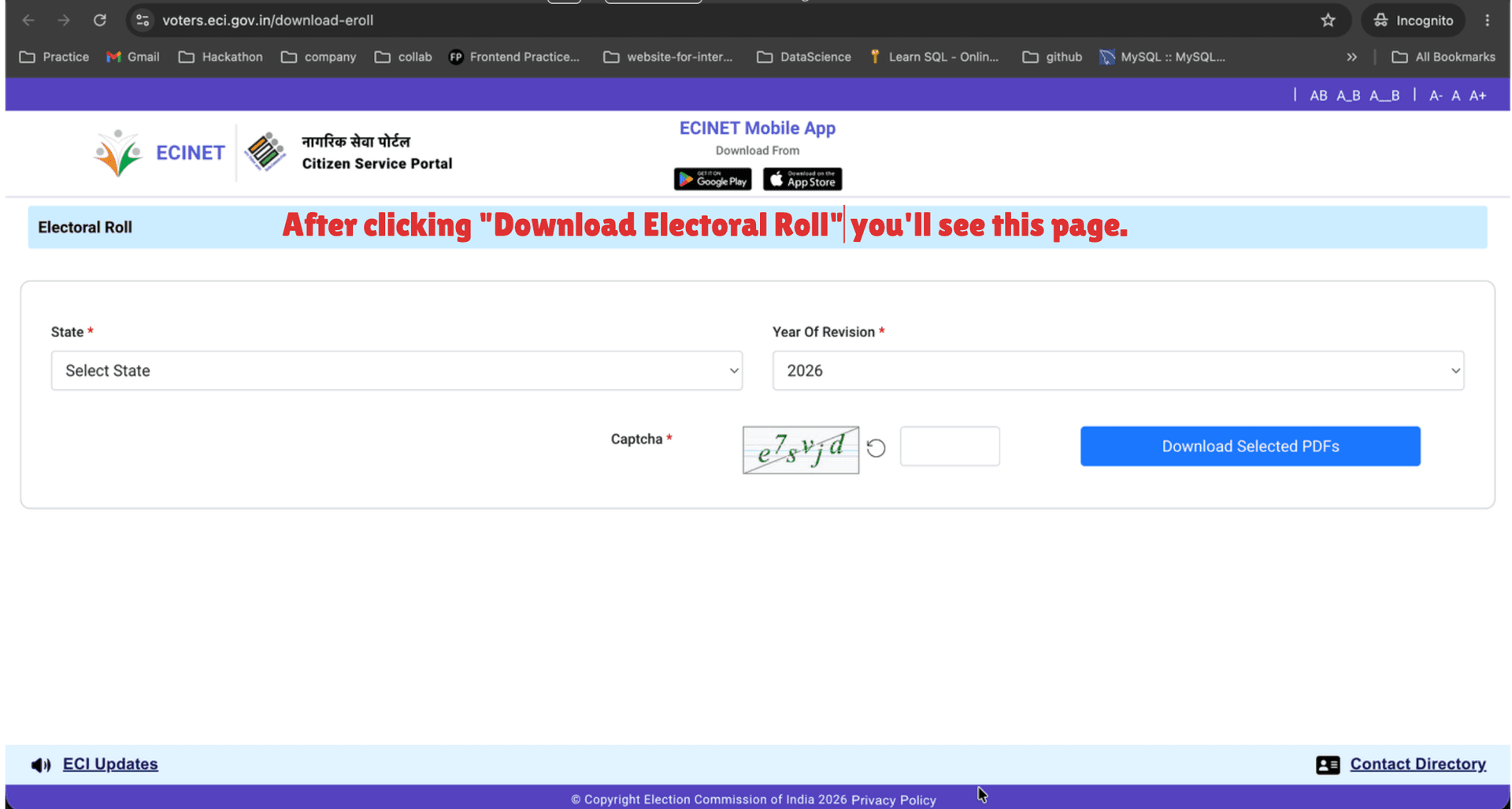
Steps to Download:
- Step 1: Select your State.
- Step 2: Select the Year of Revision (e.g., 2024 or 2026).
- Step 3: Select the List Type (Roll Type).
- Step 4: Select the Assembly Constituency.
- Step 5: Select your preferred Language.
- Step 6: Check the box next to the specific list (Part No and Part Name) you want to download.
- Step 7: Enter the Captcha shown in the image.
- Step 8: Click the blue 'Download Selected PDFs' button.