Official Guidelines
Complete Enumeration Form Guide
Learn which sections of the form apply to you, and exactly how to extract the required legacy details from the 2002 voter lists.
1
Which Sections Do You Need to Fill?
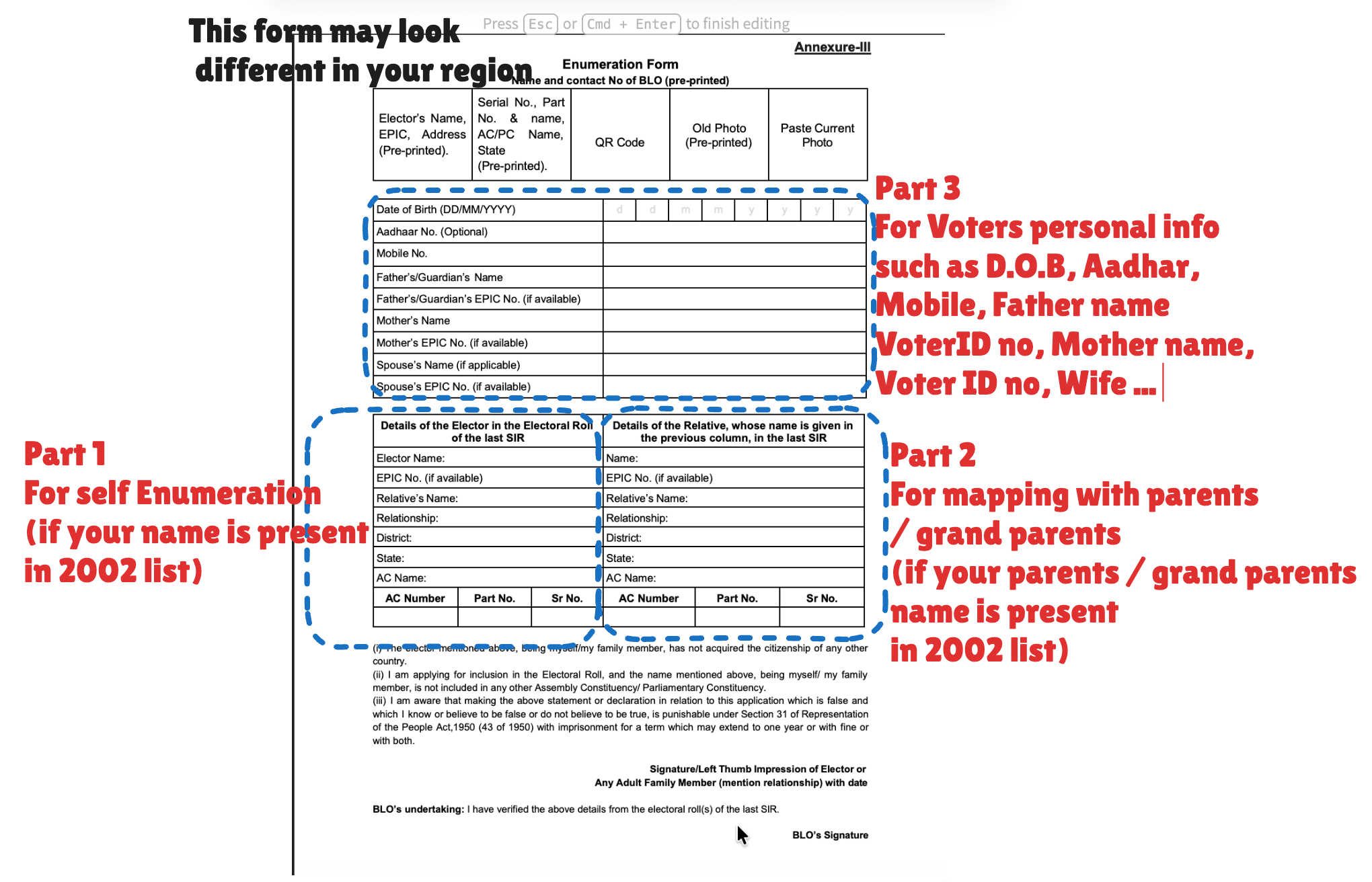
*Note: This physical form layout may look slightly different depending on your local region.
Scenario A
Your name IS in the 2002 list
If you found your own records during the legacy lookup, you are performing a **Self-Enumeration**.
✅ Fill Part 3 (Personal info, D.O.B, Aadhaar)
✅ Fill Part 1 (Details of the Elector in last SIR)
❌ Leave Part 2 completely blank.
Scenario B
Your name is missing, but Parents are in 2002
If you are a new voter or were underage in 2002, you must perform a **Progeny Mapping Linkage**.
✅ Fill Part 3 (Your own new personal data, D.O.B)
✅ Fill Part 2 (Details of the Relative in last SIR)
❌ Leave Part 1 completely blank.
2
How to Find the Legacy Data from the 2002 List
Whether you are filling Part 1 or Part 2, you need exact numbers from the 2002 PDF. Here is where to look.
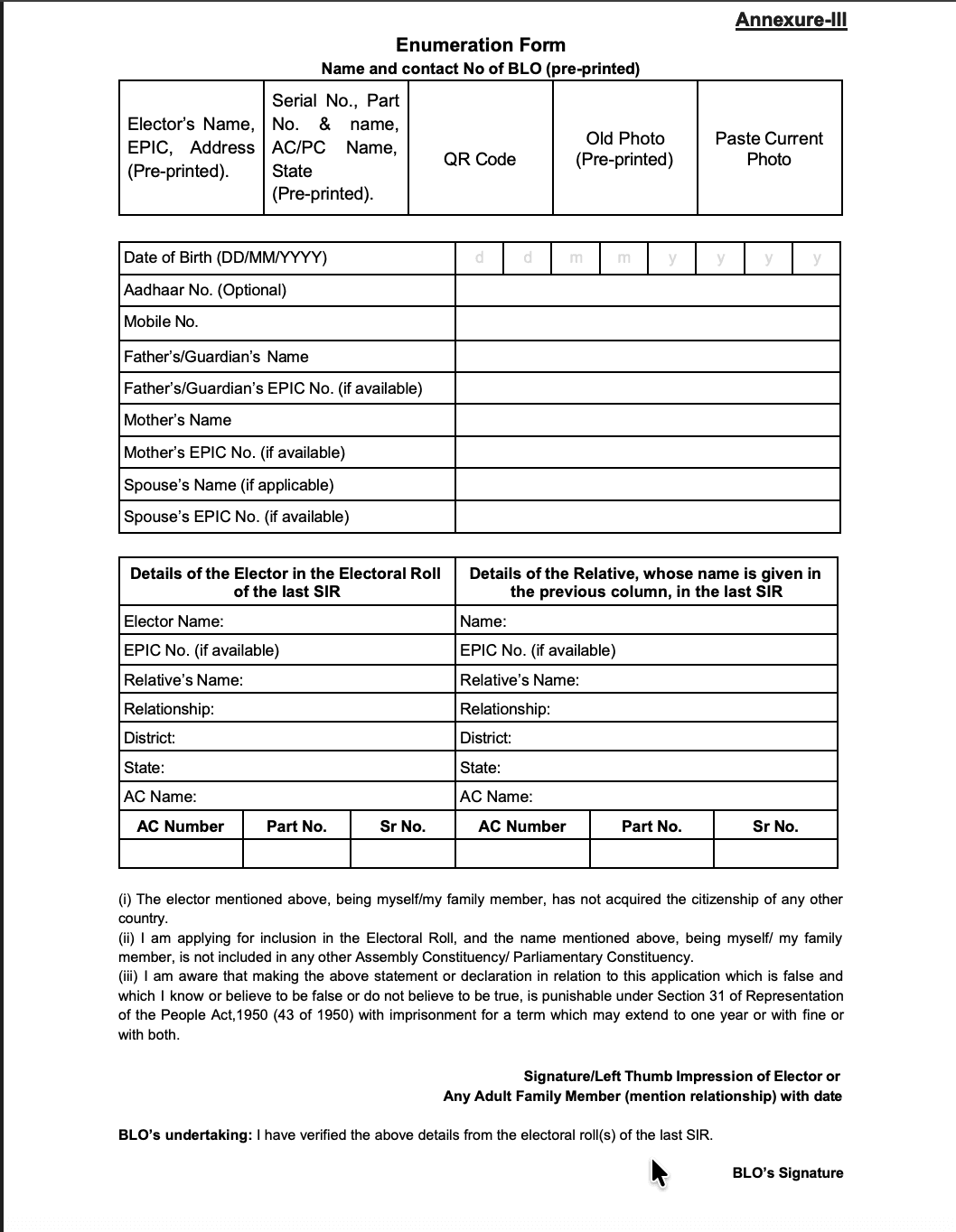
Target: Enumeration Form
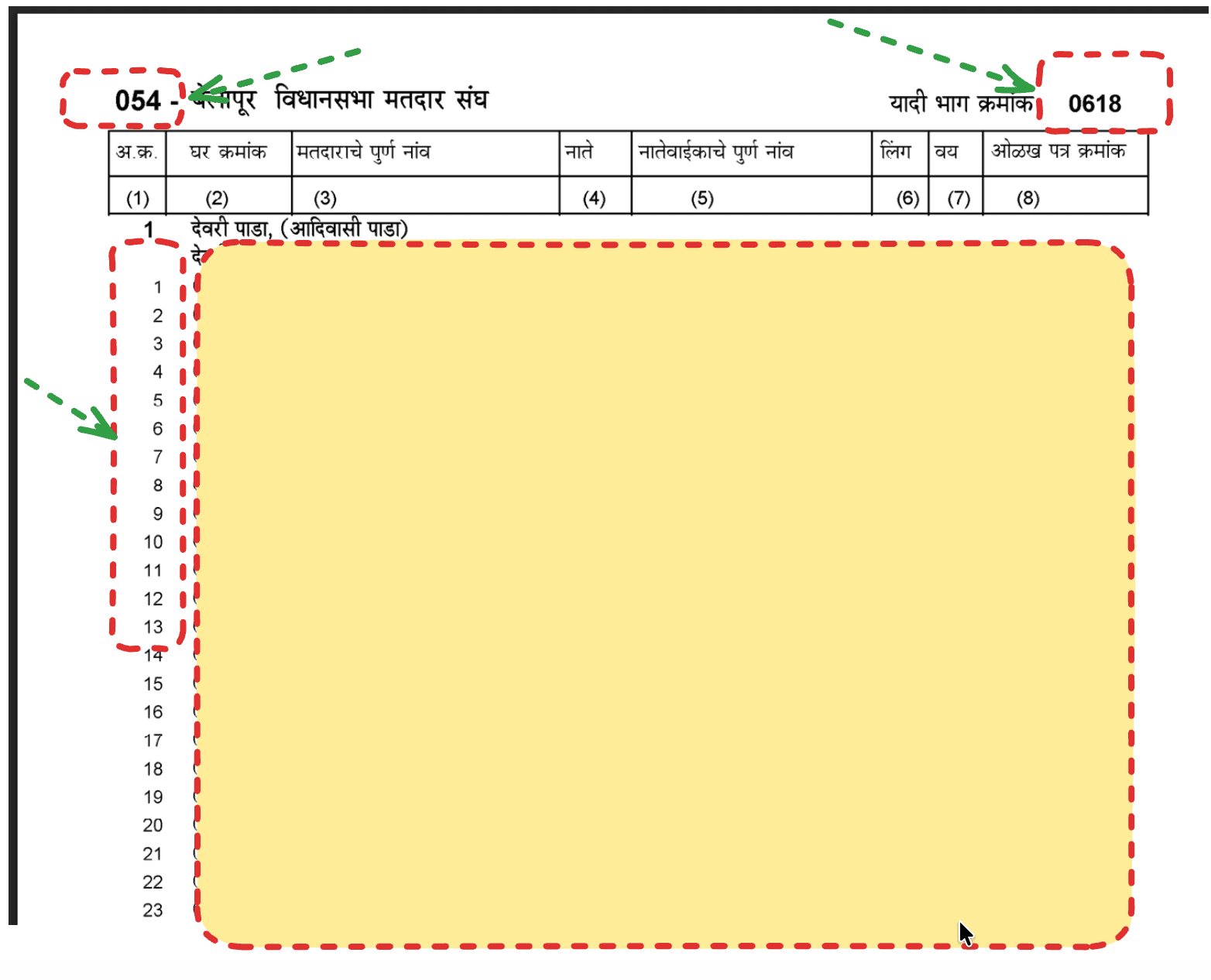
Source: Legacy PDF Document
| Field on Form | Where to Find it on the 2002 PDF | Example Value |
|---|---|---|
| AC Number | Look at the very top-left corner of the PDF header. It is the 3-digit number before the constituency name. | 054 |
| AC Name | Located at the top center of the page next to the AC number (written in local script). | बेलापूर (Belapur) |
| Part No. (यादी भाग क्रमांक) | Look at the extreme top-right corner of the PDF header. This identifies the neighborhood polling section. | 0618 |
| Sr No. (अ.क्र.) | The exact row number next to the specific person's name inside the table rows running down the left side. | 1, 2, 3, 4, etc. |